
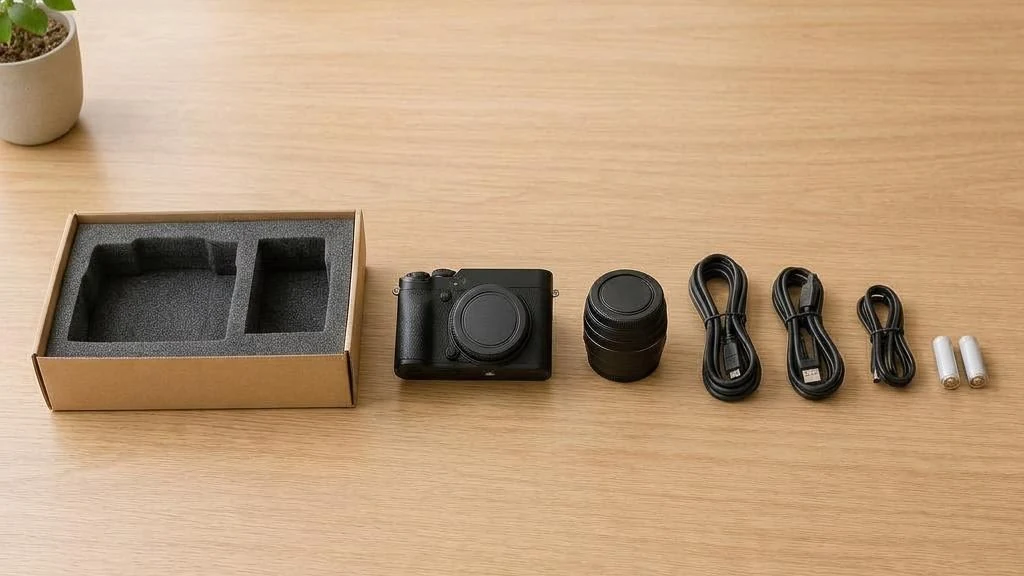
Batteries, cables, original boxes; be well-prepared before storing appliances.
Short answer
Before storing electronic products, back up data, power down, and process removable batteries, cables, and accessories according to manufacturer guidelines, then use suitable protective, shock-proof packaging to keep them dry. Do not pry open built-in lithium batteries; devices that are swollen, leaking, water-damaged, or abnormally hot cannot be treated as general storage items; please declare them to confirm acceptance and special restrictions.
Key summary
- Back up data first; storage services do not equal data security.
- Handle removable and built-in batteries separately; do not disassemble the device yourself.
- Packaging must consider shock-proofing, screen protection, and anti-static for sensitive components.
- Check after retrieval and power up according to manufacturer requirements.
1. Handle batteries according to product instructions
Handle removable batteries according to product instructions; do not attempt to pry out built-in batteries. Declare the device and its status to customer service first to confirm suitability.
2. Use original boxes or soft padding
Original packaging is the best fit; if unavailable, wrap well with bubble wrap.
3. Store upright
Large appliances like refrigerators should be stored upright and must be clean and dry.
4. Back up computers, cameras, and storage devices first
Keep important documents, photos, and work data in another suitable location and verify that the backup can be read. Leaving the only copy of data on a long-term stored hard drive or computer means both device damage and retrieval delays will affect your ability to use the data.
Complete backups or system shutdowns according to product procedures before switching off; record models and accessory lists. For devices with sensitive data, set access protection according to your own security policies; do not write passwords on the device body or external box labels.
5. Batteries cannot be handled using the same method
Batteries that can be safely removed, such as those in remote controls or cameras, should be handled separately according to product guidelines to reduce leakage impact; do not disassemble the casing or pry open devices with built-in batteries. Charging status and long-term storage methods vary by product; do not assume they should all be fully charged or fully drained.
Explain to customer service whether items contain lithium batteries, whether there is damage, and the required storage conditions to confirm acceptance. Devices that are swollen, leaking, abnormally hot, or water-damaged should first be professionally assessed; do not seal them into general clothing or miscellaneous boxes.
6. How to package screens, lenses, and parts separately?
If you have the original packaging, confirm the internal protective materials are still intact; if not, choose shock-absorbing materials based on shape and fragile parts. Prevent direct pressure on screens and lenses; do not stick plugs and hard accessories to surfaces; fix voids with suitable materials rather than letting them knock around.
Exposed circuit boards, memory, and other static-sensitive parts should be stored in appropriate anti-static packaging; do not treat ordinary plastic bags as equivalent materials. Coil cables loosely and label their purpose, avoiding sharp folds, pulling on connectors, or using tape directly on mirrored surfaces.
7. Do not rush to power up equipment immediately after retrieval
Check for moisture, rust, odours, or damage on the appearance, packaging, and connectors first, then restore use according to manufacturer instructions. If condensation appears after moving between different temperature environments, do not plug in; seek appropriate treatment and confirm it is dry first.
The transport orientation, fixtures, and restart requirements for large appliances must be handled according to the model; do not apply a generic waiting time. If battery abnormalities are found, stop charging or testing and have a qualified professional assess them.
FAQs
- Must the built-in battery of a laptop be removed before storage?
- Do not pry it open yourself. Follow the manufacturer's long-term storage guidelines and declare the device's nature and condition to customer service first; acceptance is subject to service limitations.
- Does putting a hard drive in a warehouse mean data is protected?
- No. Item storage and data backup are two different things; important data should be backed up separately beforehand and verified as readable; do not assume general storage includes data recovery.
- Should all electrical appliances be left for a period before switching on after retrieval?
- No. Product types, shipping orientation, environment, and manufacturer requirements differ; do not switch on directly if there are signs of moisture or damage; follow product instructions or professional inspection.
Further reading
The content of this article is for general reference only. Please determine actual arrangements based on item condition and the latest official guidelines.
Need to arrange storage for your items?
Tell us the item types and quantity, and we will help estimate the space and collection/delivery arrangements